Paste Script or Upload Material
Drop your screenplay (INT./EXT.), novel chapter, or synopsis into the Copilot box and select Story Outline Storyboard.

Paste your screenplay, webnovel chapter, or outline—the Copilot parses scenes, casts characters, and builds your storyboard in Studio.

Explore a Plot Party microdrama and watch its published episodes.
Drop your screenplay (INT./EXT.), novel chapter, or synopsis into the Copilot box and select Story Outline Storyboard.
Review character turnaround sheets and camera angles at checkpoints in your new Studio before spending video Plot Points.
Generate dialogue cuts with MiniMax H3 and tracking shots with Seedance 2.5, then assemble your short film.
Keep the screenplay, cast, storyboard, and rendered shots together, with room to review before you render.
Rebuild the cast for every shot. Review faces and wardrobe for drift.
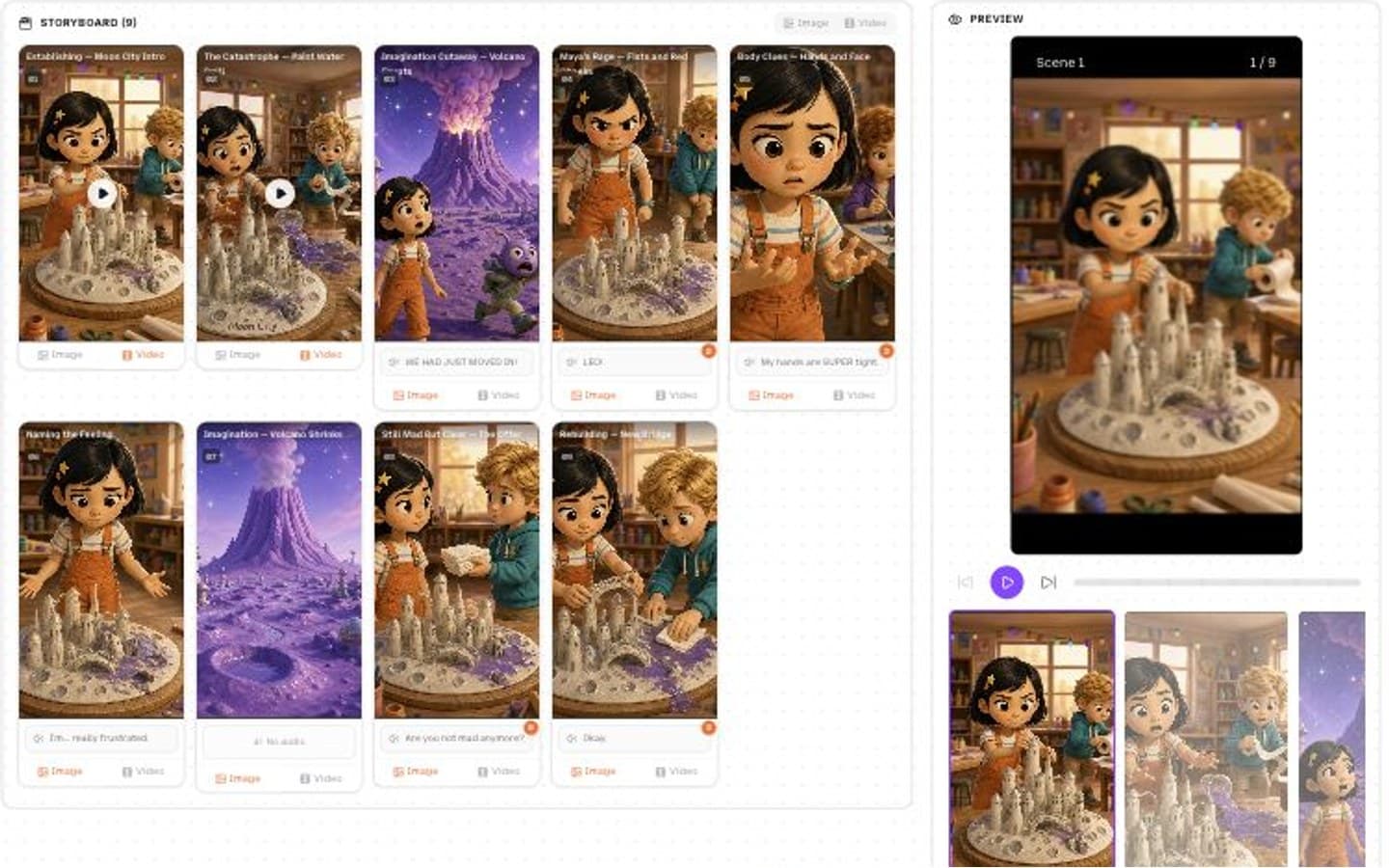
One reusable cast. Shared references across your storyboard and scenes.
| Feature | Single-prompt AI | Plot Party workspace |
|---|---|---|
| Scene breakdown | Split scenes and write shot prompts yourself | Copilot turns written scenes into a shot list |
| Character sheets | Recreate references for each shot | Generate reusable sheets with GPT Image or Nano Banana |
| Camera cut scripting | Coordinate cuts in separate prompts | Plan dialogue, blocking, and camera angles together |
| Checkpoint cost control | Render first, revise afterward | Review script, cast, and storyboard before video generation |
| Shot re-angling | Start another disconnected generation | Open a shot in Canvas to re-angle or regenerate |
| Project organization | Manage scattered files and prompts | Keep source material and generated assets in the Studio file tree |
Start with standard screenplay text, webnovel chapters, Markdown outlines, or a two-sentence logline. You can paste text or attach source material in Studio.
The Studio workflow includes checkpoints for the script, character sheets, and storyboard, so you can review the direction before rendering video.
Yes. Use Agentic Canvas for individual shot adjustments, regeneration, and model switching.
Plot Party provides an MCP integration for compatible clients. See the MCP guide for connection instructions and available workflows.
The Studio launcher creates a project and uploads your attachments into its file tree. Your brief and selected Skill are passed to the Studio Copilot.
Yes. Select a Skill below the composer, or switch between Studio, Canvas, and Story to choose the workspace that fits your project.
Build a complete series in one workspace.