Brief the Copilot or Pick a Skill
Enter a one-line premise, upload novel material, or pick /Realistic Short Drama. The Copilot writes the episode script and shot list.


Plan episodes, lock your cast across every scene, and go from premise to finished 9:16 or 16:9 drama with your AI Copilot.

Explore a Plot Party microdrama and watch its published episodes.
Enter a one-line premise, upload novel material, or pick /Realistic Short Drama. The Copilot writes the episode script and shot list.
Open your dedicated Studio workspace, where character sheets, wardrobe, and locations stay organized in a reusable file tree.
Route shots across Seedance 2.5 and MiniMax H3, then finish your episode with dialogue, subtitles, and SeedVR 2 upscaling.
Build a story across scenes, with a reusable cast and a workspace that keeps every shot connected.
Rebuild the cast for every shot. Review faces and wardrobe for drift.
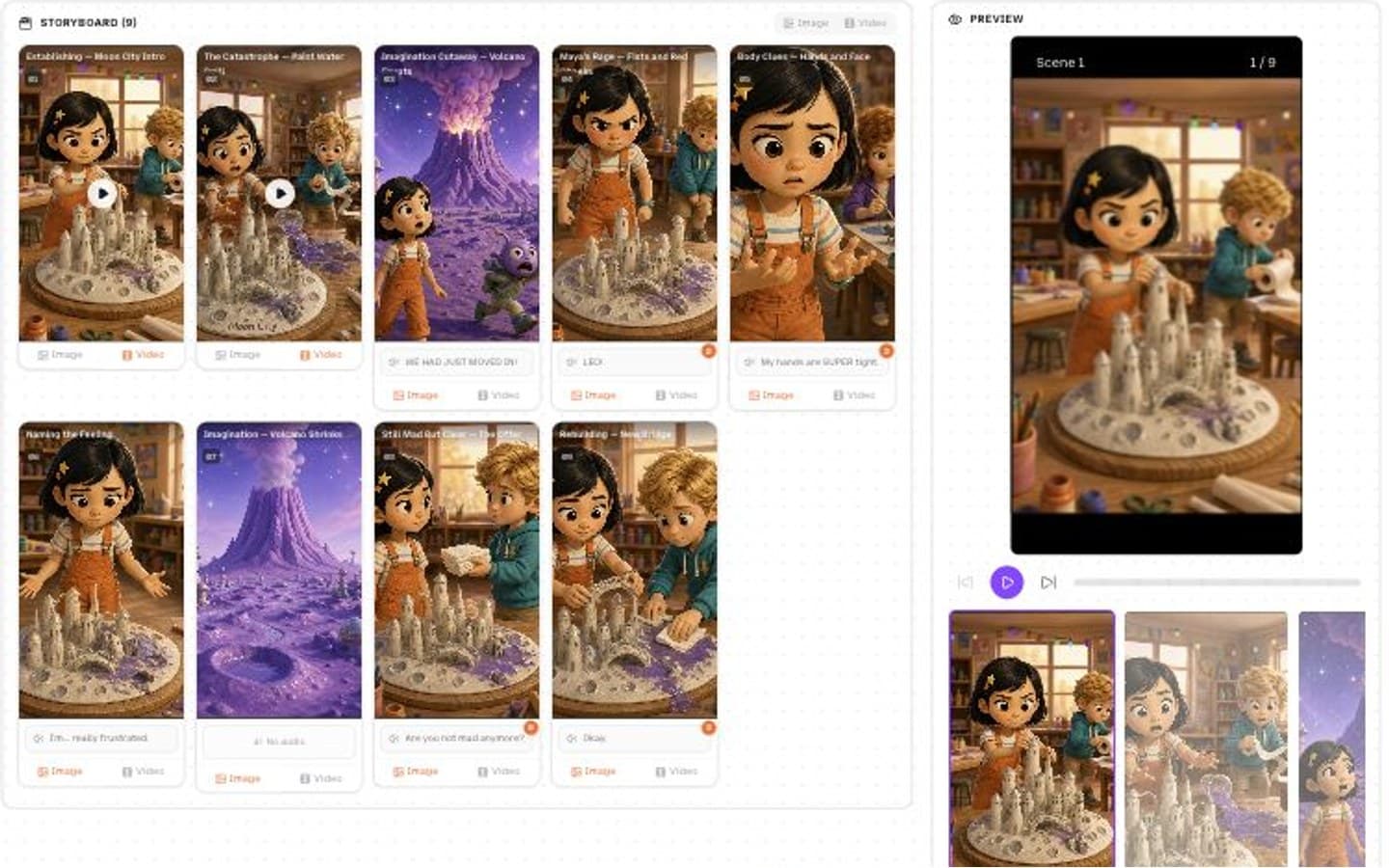
One reusable cast. Shared references across your storyboard and scenes.
| Feature | Single-prompt AI | Plot Party workspace |
|---|---|---|
| Unit of work | Isolated short clip | Full episodes and multi-episode series in Studio |
| Character consistency | Rebuild character prompts for every shot | Reusable cast and character turnaround sheets across cuts |
| Workspace architecture | Chat feed only | Structured Studio file tree and infinite Agentic Canvas |
| Repeatable workflows | Rewrite prompts manually | Reusable Skills for short drama and storyboarding |
| Dialogue & audio | Separate audio and dialogue passes | Lip-synced dialogue, soundscape, and score in your workflow |
| Model routing | One model per workflow | Seedance, MiniMax, SeedVR, Midjourney, GPT Image, and Nano Banana |
| Production Metric | Traditional Live-Action Shoot | Generic Single-Clip AI Tools | Plot Party Studio (9:16 Series Pipeline) |
|---|---|---|---|
| 20-Episode Production Cost | $150,000 to $300,000 per season | $3,500+ (80% wasted rerolls) | Under $500 in Plot Party Studio credits |
| Turnaround Time (60-Min Season) | 6 to 10 weeks | 3 to 4 weeks of manual stitching | 3 to 5 days from script to 4K master |
| Multi-Episode Character Lock | Requires physical cast & reshoots | Drifts every 5-second generation | 98%+ face & wardrobe lock via Reference-to-Video |
| Multi-Language Lip-Sync Dubbing | $5,000+ per language studio dub | External audio tools required | Built-in 40-language lip-sync dubbing |
Studio is a structured episode workbench where the Copilot manages your script, cast sheets, storyboard, and final cut. Canvas is an infinite node-based board for visual experimentation and shot branching.
Type / or click a Skill such as Short Drama from Your Material or Realistic Short Drama to attach a multi-step directing workflow to your brief.
The Copilot guides you from premise through script, storyboard, and rendering. Completion time depends on episode length, selected models, render queues, and your review checkpoints.
Work with models including Seedance 2.5, MiniMax H3, SeedVR 2, Midjourney, GPT Image 2.5, and Nano Banana 2. Availability and output options depend on the selected model.
Plan your drama in 9:16 portrait or 16:9 widescreen. Select the model and export settings that match your delivery format.
Yes. Upload your source material in Studio or paste your premise into the Copilot, then choose Short Drama from Your Material to develop the story.
Build a complete series in one workspace.